Predictive Quick Letters

The next letter, before you reach for it.

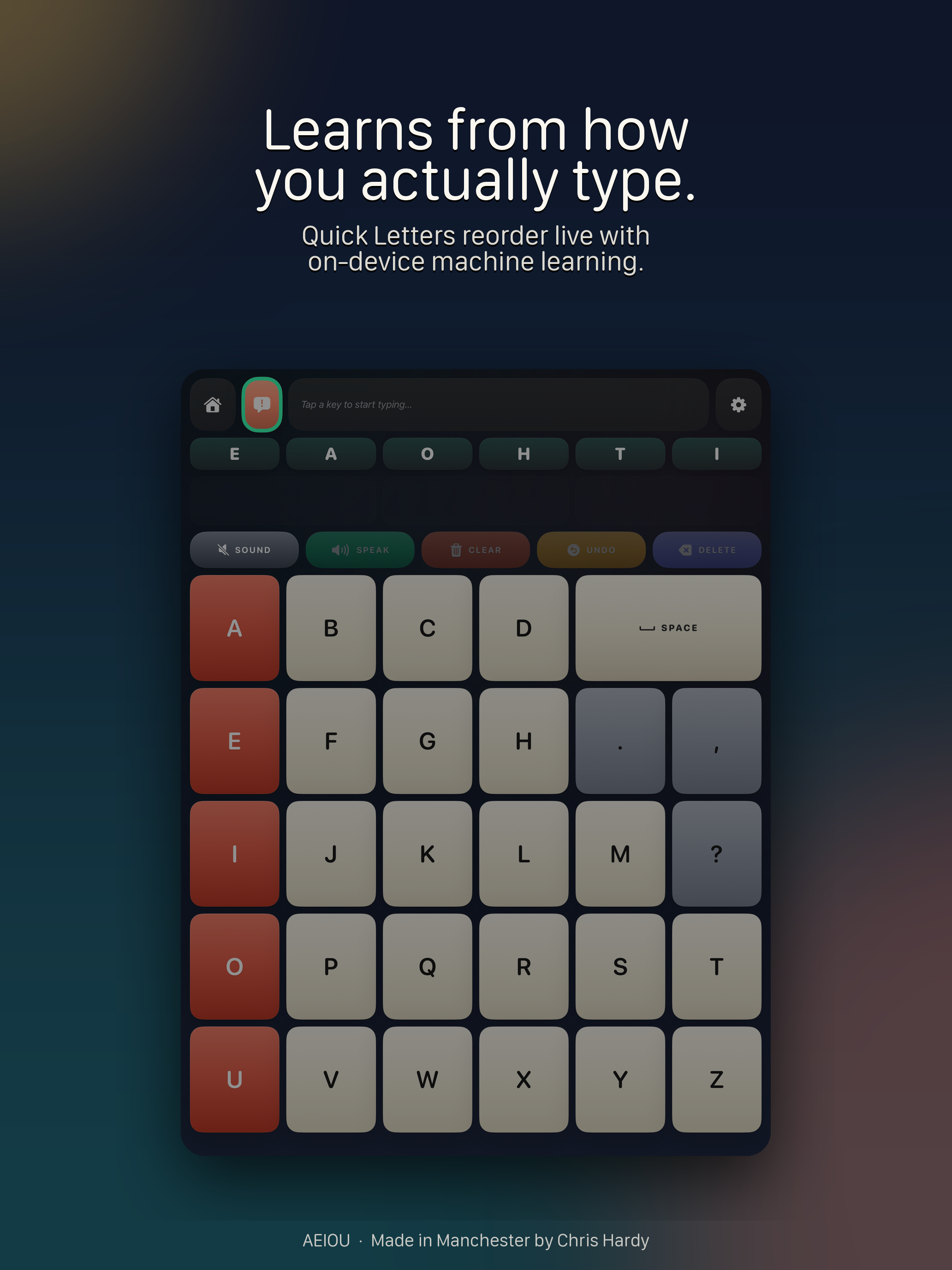
Quick Letters reorder live at the top of the keyboard. They learn from how you actually type — on-device, no cloud round-trips. The right letter ends up under your finger more often.
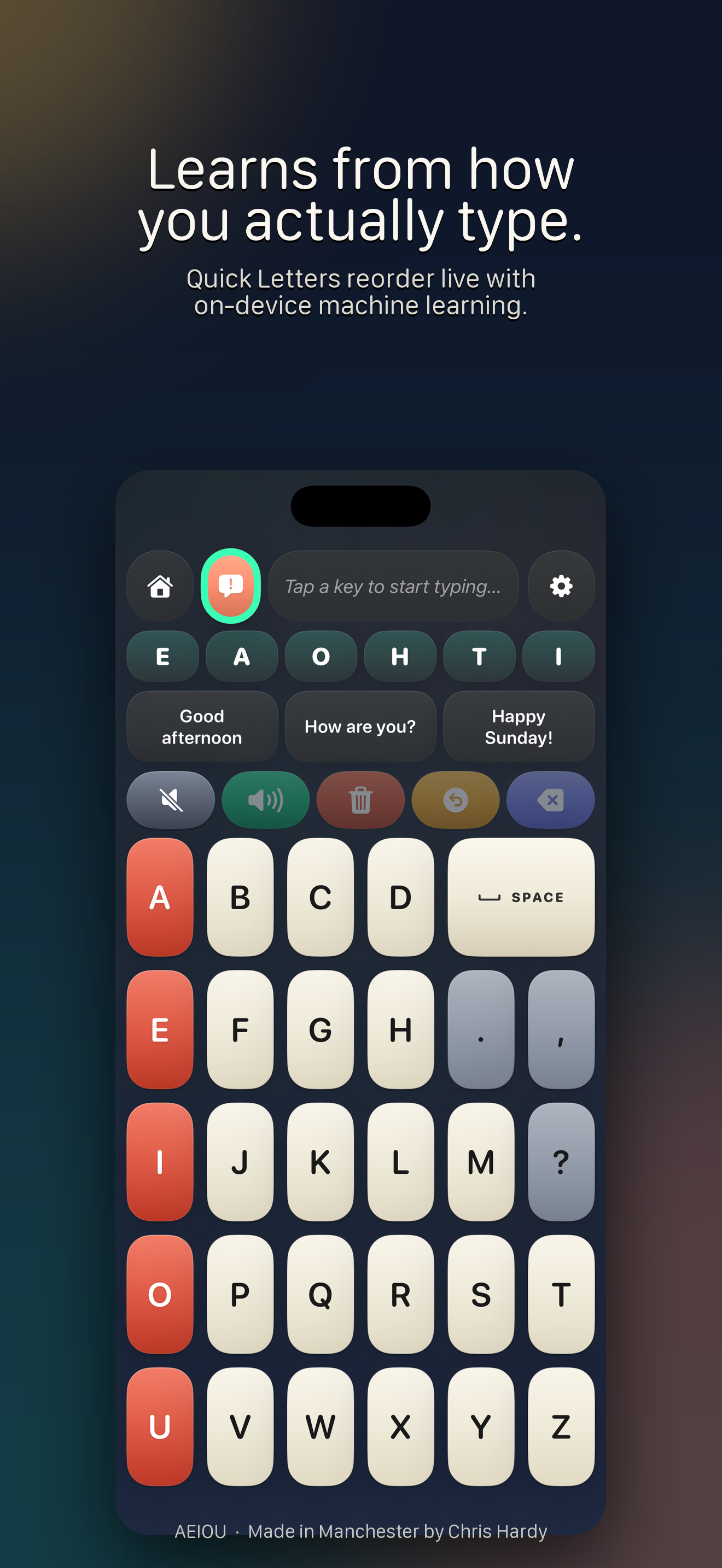
The AEIOU keyboard with Quick Letters reordered to match the user's typing patterns.
Time-aware phrases

The right thing to say, ready to say.

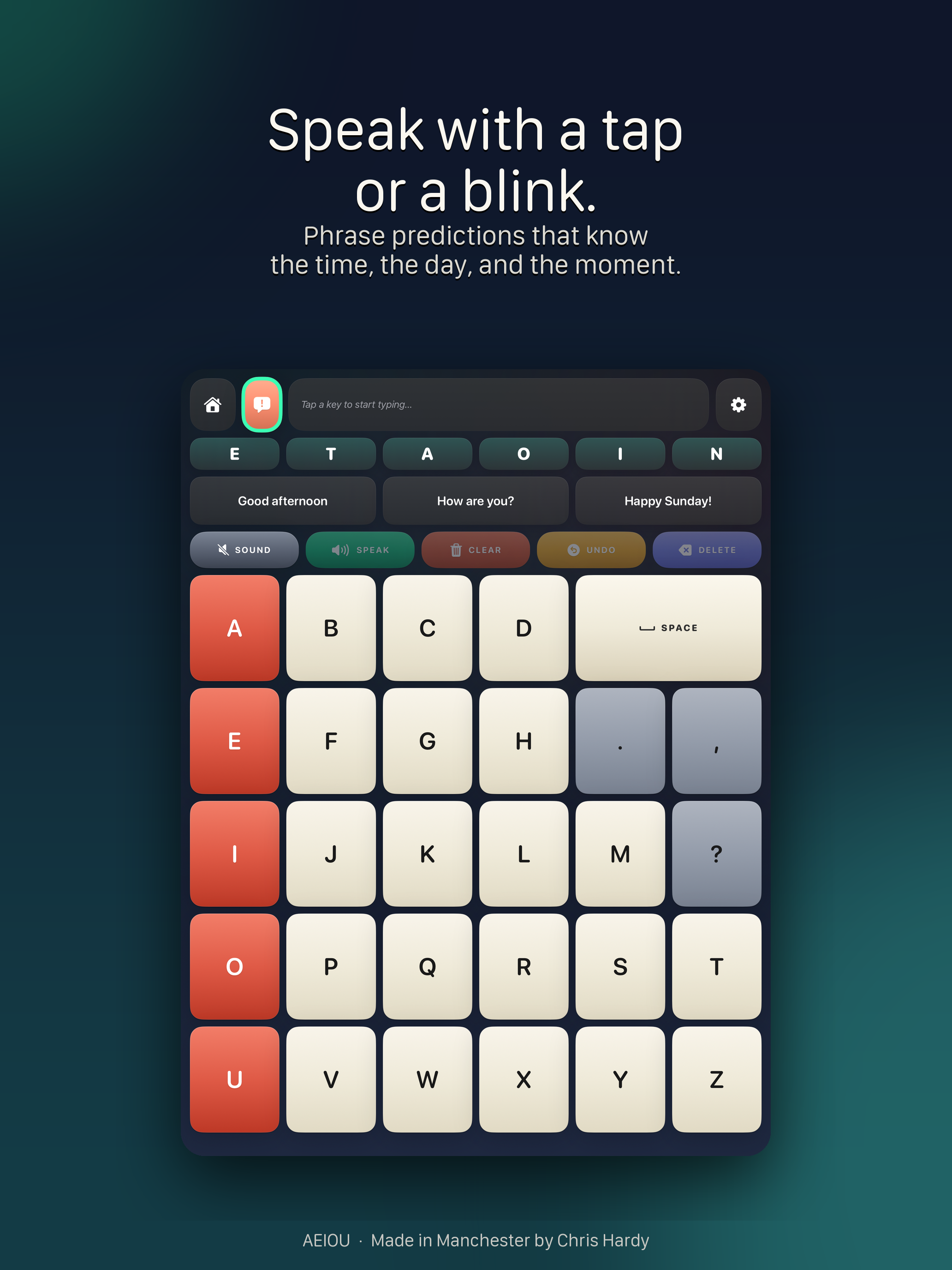
Powered by Apple's on-device language model. The right phrase for the moment — "Good morning", "How are you?", "Happy Sunday!" — appears before you reach for it. You can pin your own and they'll always live one tap away.
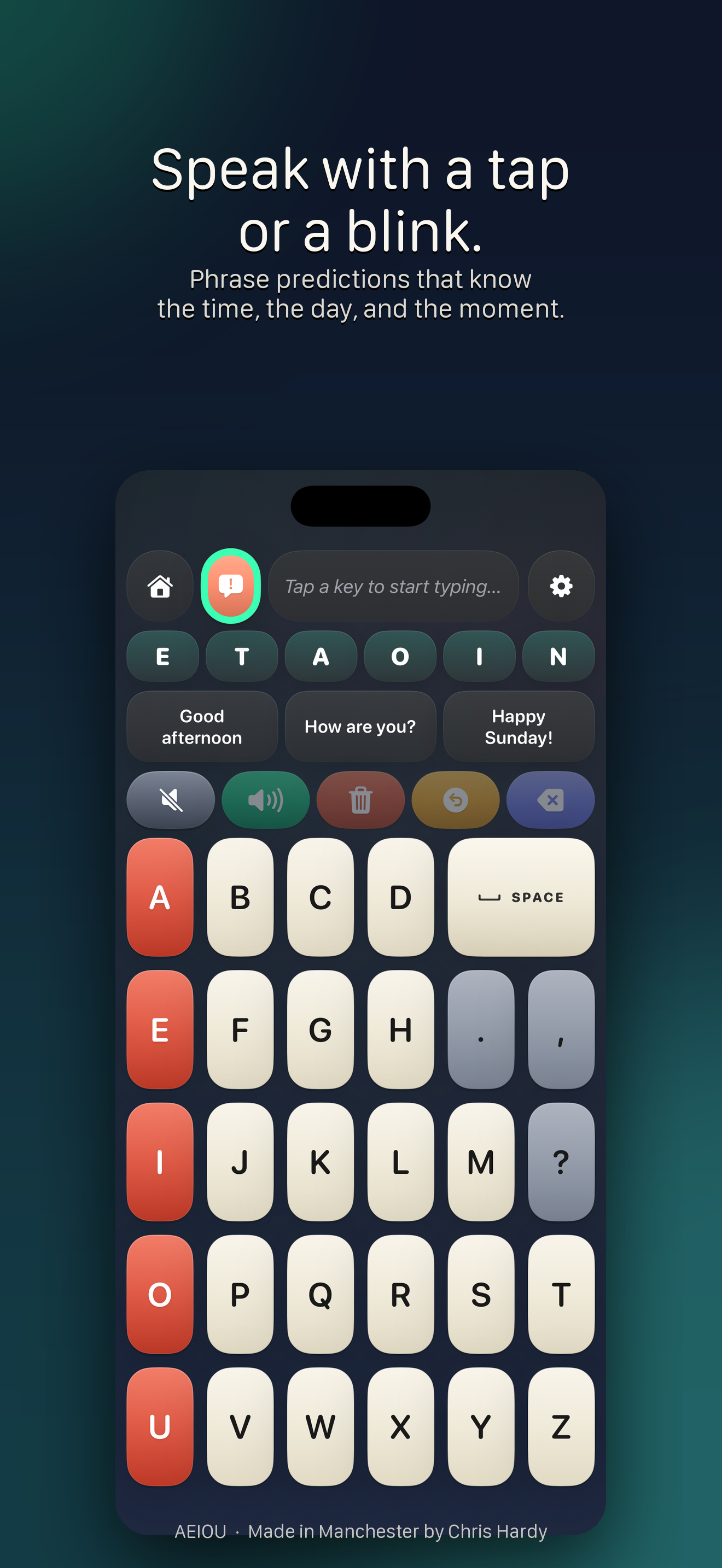
The AEIOU keyboard suggesting time-relevant phrases like 'Good afternoon' and 'How are you?'.
Blink to select

Speak with a blink.

Calibrate once. A single deliberate blink fires the highlighted cell. Built on ARKit face tracking — reflex blinks are filtered out automatically, and frames never leave the device.
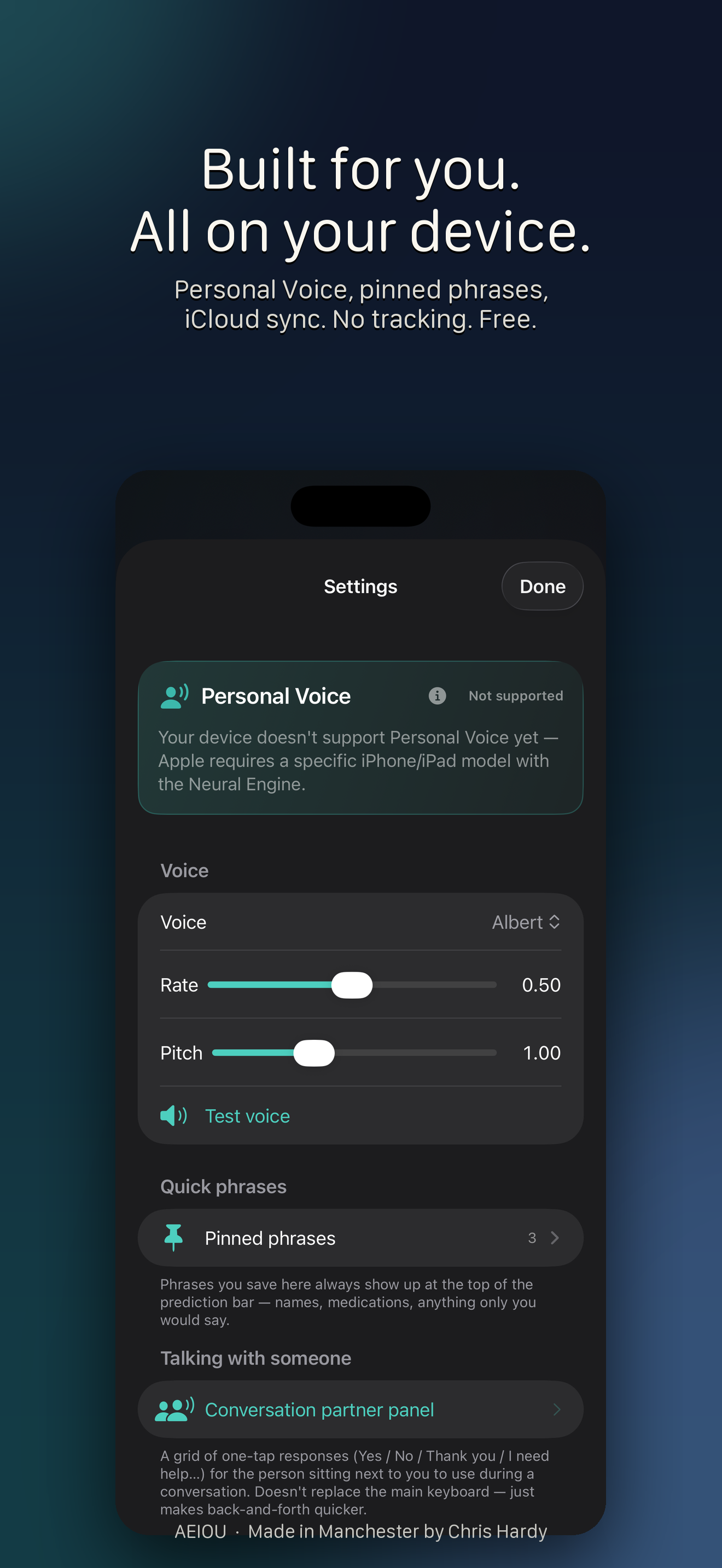
AEIOU settings showing blink calibration and Personal Voice options.
Recents

One tap to say it again.

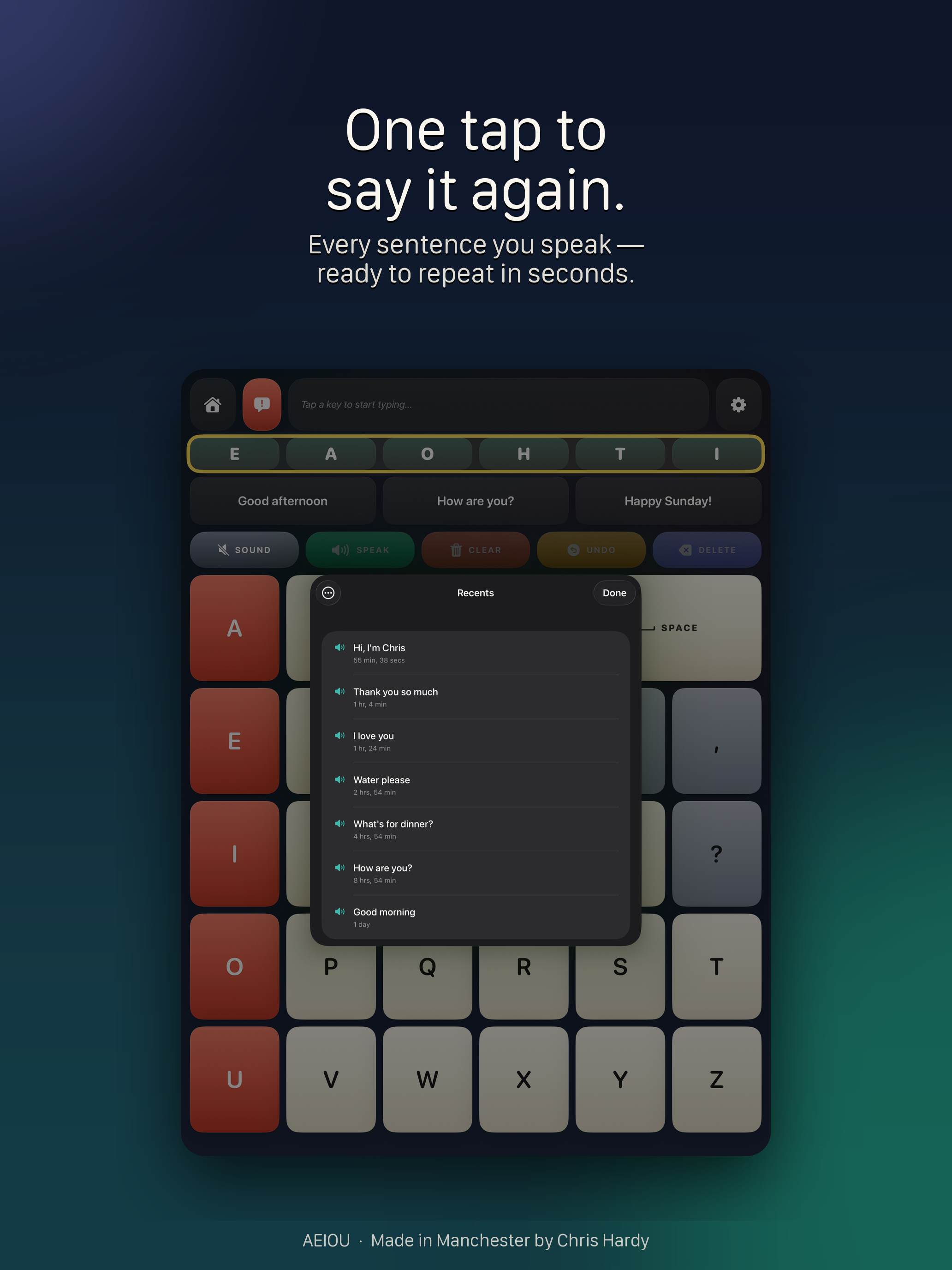
Every sentence you speak goes into Recents. Hello, thank you, water please, how are you — ready to repeat in seconds. No retyping, no fuss.
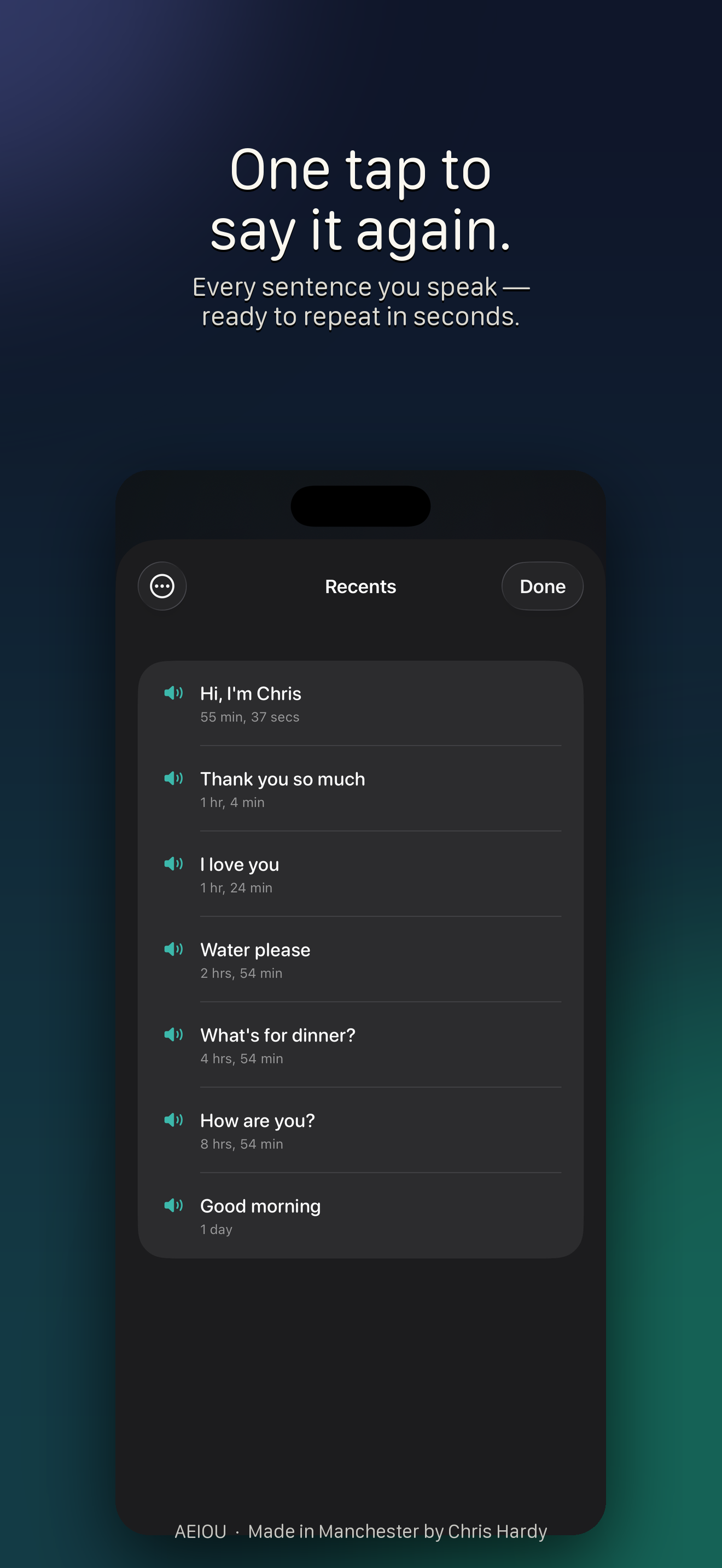
AEIOU Recents view showing previously spoken phrases.
Everything in AEIOU

Built around the way you communicate.

Predictive Quick Letters

The most likely next letters reorder live at the top of the keyboard.

Time-aware phrases

Apple's on-device language model surfaces the right phrase for the moment.

Pinned phrases

Save what only you would say. Always one tap away, always at the top.

Blink to select

A single deliberate blink fires the highlighted cell. Reflex blinks are filtered out.

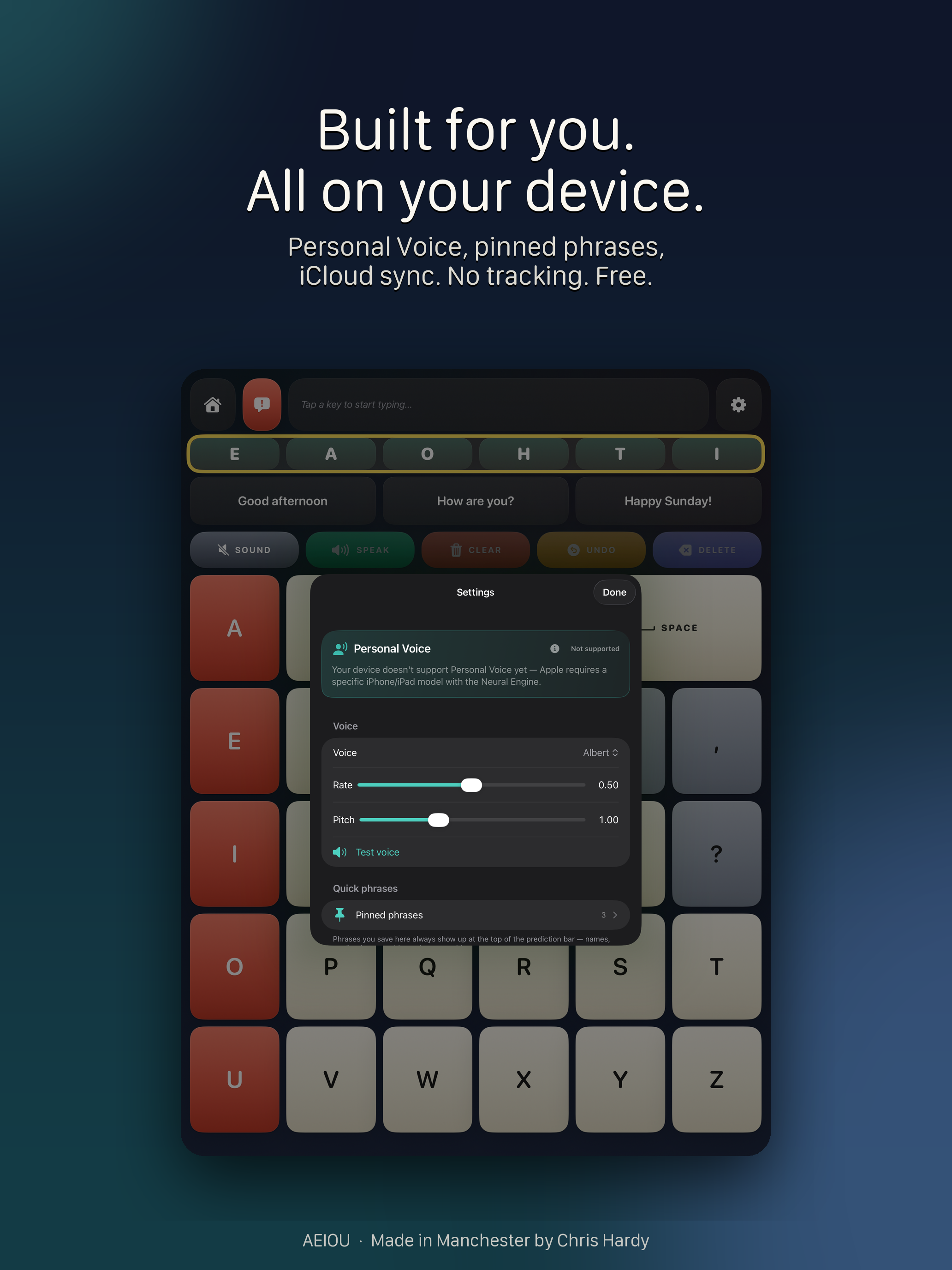
Personal Voice

On iOS 17+, record your voice once in iOS Settings — AEIOU will speak in it.

Conversation partner

A grid of one-tap responses for the person beside you. Back-and-forth stays quick.

Recents

Every sentence you speak — ready to say again in seconds.

iCloud sync

Pinned phrases follow you across iPhone and iPad through Apple's encrypted key-value store.

Truly private

No accounts. No tracking. No analytics SDK. Camera frames never leave the device.
Screenshots · iPhone

See AEIOU in action.

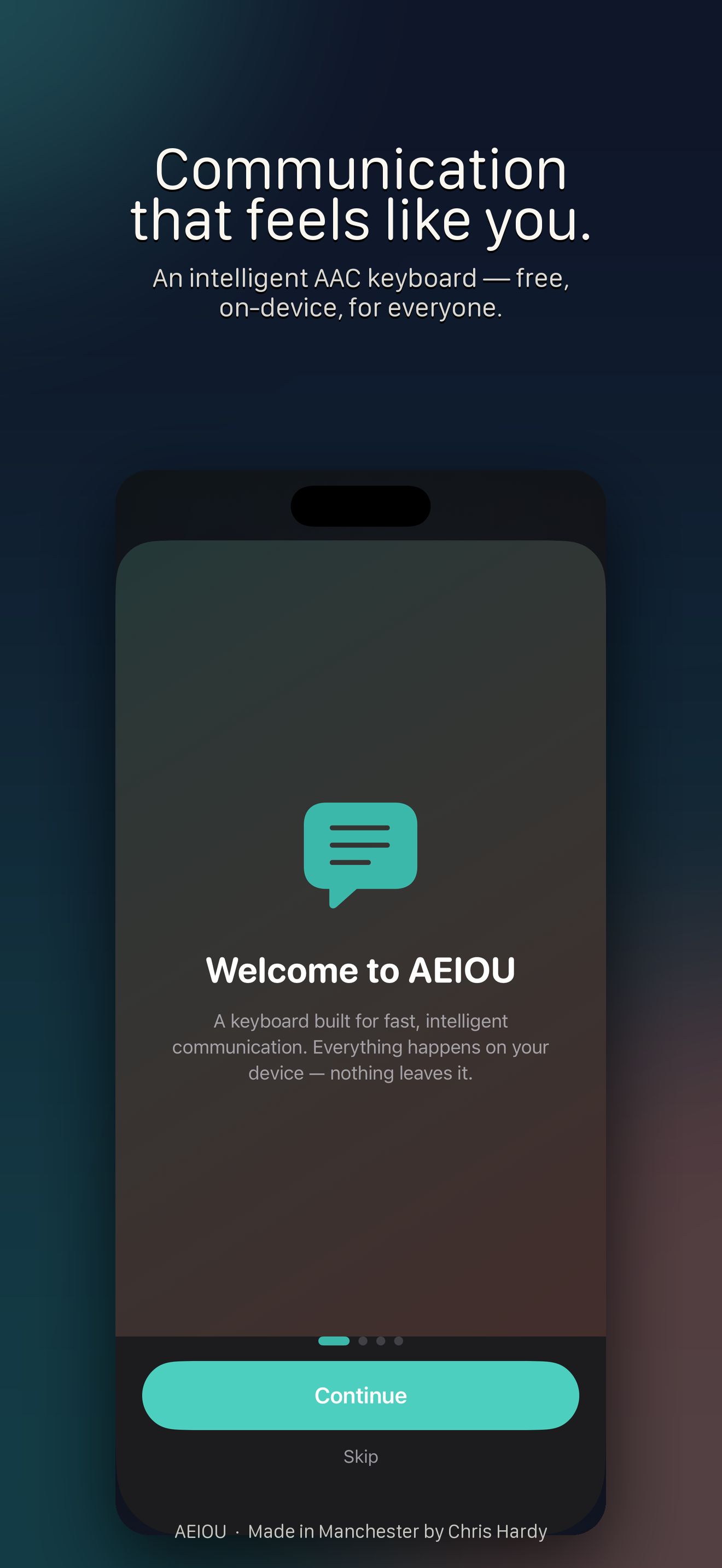
AEIOU welcome screen explaining that everything happens on your device.
Welcome — communication that feels like you.
The AEIOU main keyboard with Quick Letters and pinned phrases.
Speak with a tap — or a blink.
The keyboard adapting Quick Letters based on the user's typing patterns.
Learns from how you actually type.
AEIOU settings screen showing Personal Voice, voice rate and pitch, pinned phrases, and conversation partner options.
Built for you — all on your device.
The Recents view showing previously spoken phrases ready to repeat.
One tap to say it again.
Screenshots · iPad

Equally at home on iPad.

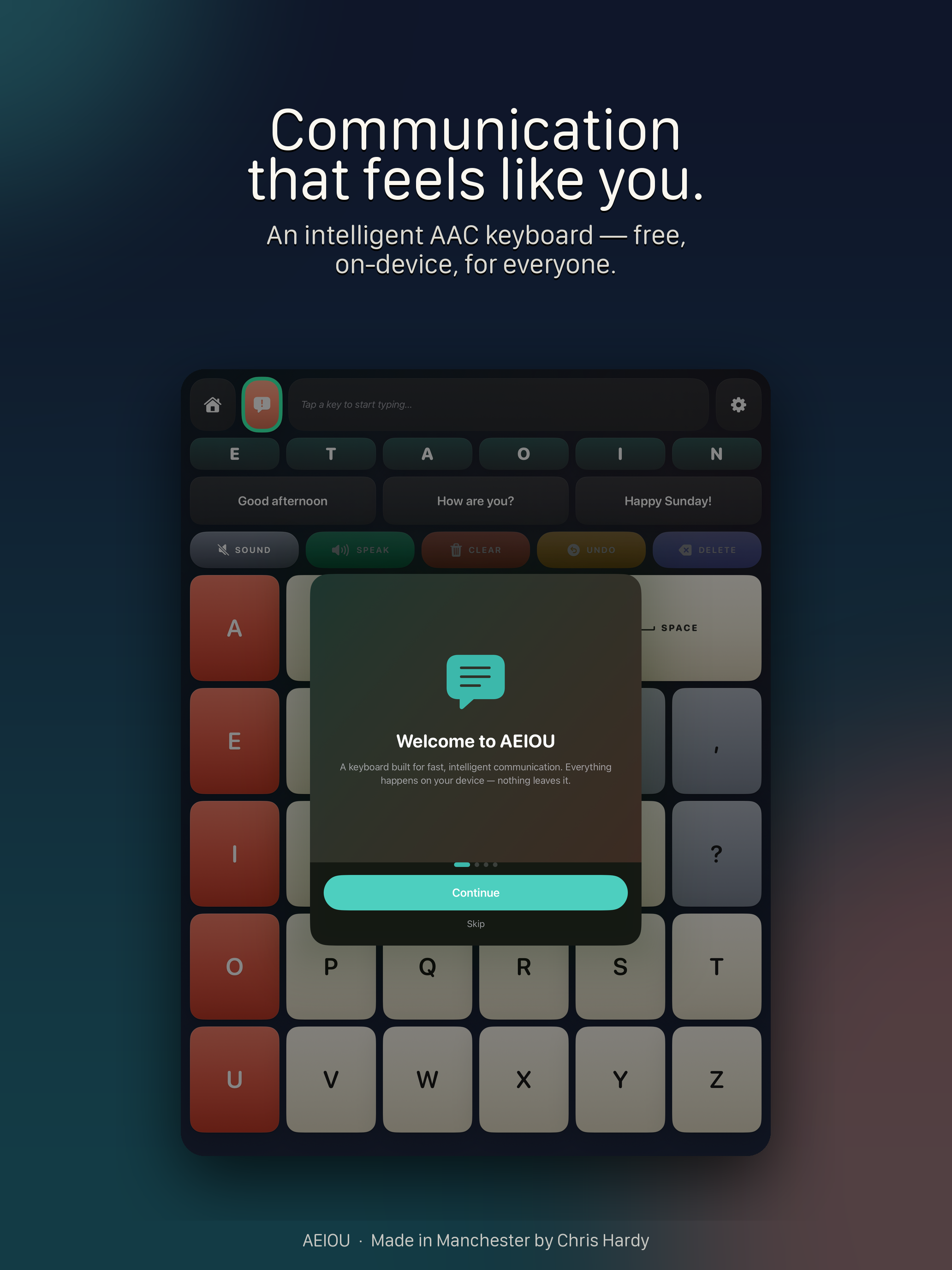
AEIOU welcome screen on iPad.
Welcome — on iPad.
The AEIOU keyboard on iPad with the larger key layout.
The full keyboard, comfortably sized.
Quick Letters reordering on iPad as the user types.
Predictions that learn you.
AEIOU settings on iPad.
Personal Voice, pinned phrases, settings.
Recents history on iPad ready for one-tap replay.
Recents, instantly replayable.
At a glance

The honest specs.

Price
Free.
Devices
iPhone and iPad.
Minimum iOS
iOS 17.0.
Personal Voice
Requires iOS 17+ and a supported device with the Neural Engine.
Blink detection
Requires the front TrueDepth camera (iPhone X and later, supported iPad Pro models).
Internet
Not required to use the app.
Account
None — there is no Chardie account.
Tracking
None.

Try AEIOU.

Free on the App Store. No accounts. No tracking. Just communication, on your device.

Get help & contact